How to add an image and click to enlarge
KB14455
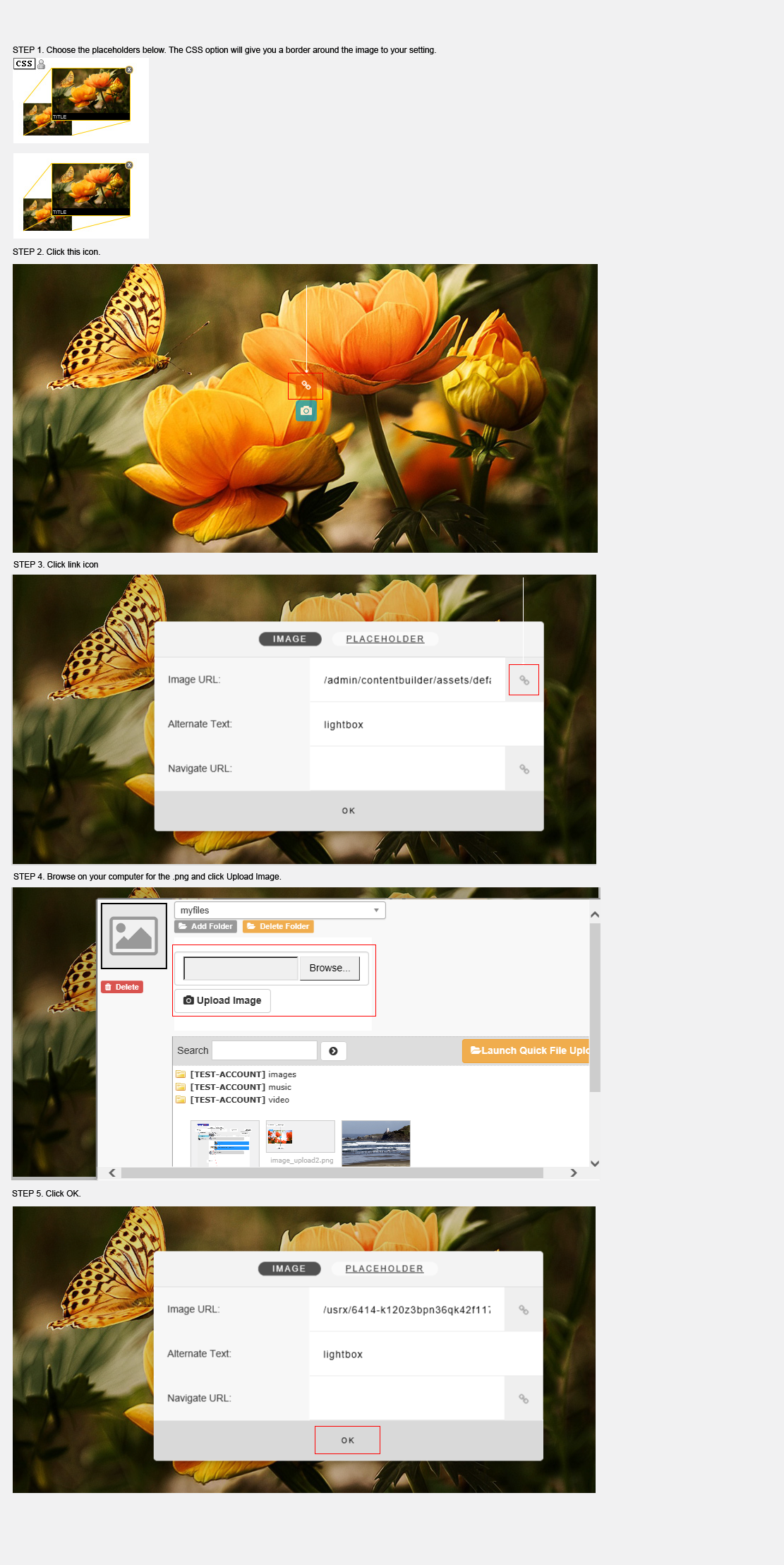
To add an image to a page with the option of clicking the image to enlarge to the full uploaded resolution.
To avoid the automatic resizing algorithm it is advisable to upload .png images. The image will be set to use 100% of the available screen to cover all screen sizes and click to open and enlarge image to its original uploaded size.
Follow these steps below.
Use the Drag n Drop Text Editor.
Updated on: 03/05/2020 16:23:00
How Helpful was this article
1 Votes Cast
