Assign categories to Users
KB14561
When running a large web project with many web contributors you can restrict certain users from being able to update all listings / products in the site. You may wish to assign certain admin users to specific areas of the site to manage. We do this by assigning product / listings categories to specific users. Users can be assigned one or more categories. If this is the case then the restricted user will only be able to manage products / listings within their dedicated category or categories.
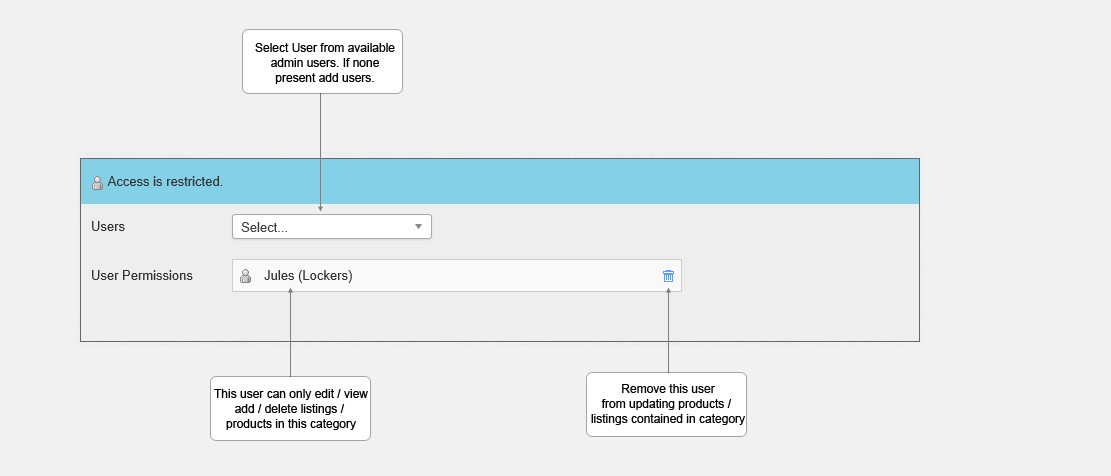
We accomplish by selecting the category and then assign the users to this category. When this certain type of admin user logs in they will have a restrcited view of the administration area and will only be able to view and edit the categories and products / listings contained within these categories.
To Activate
In listings setup set Assign categories to Users to Yes.
If activated under each category you will be able to assign users.
Alert
Warning!
If Assign Categories to Users is activated and a user is not designated a category they will be able to view and edit all categories in this system.
Updated on: 13/09/2015 11:47:41
