Add new site / profile
KB14864
There are 2 ways to add a new site via the hub administration or website/directory you manage.
Adding a site via the hub administration area.
If you prefer that sites are added solely via the administration utility this can be setup for you.
Step 1
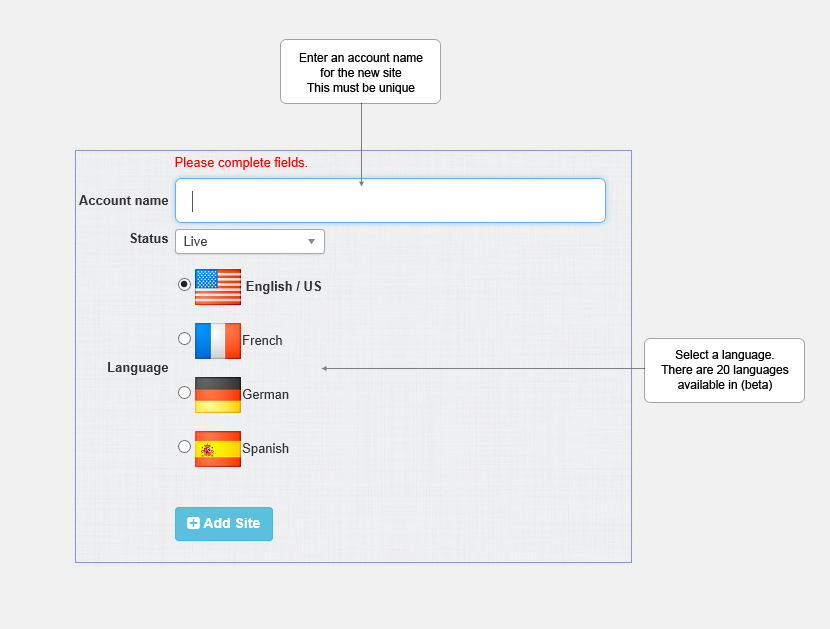
Step 2 Select a Template
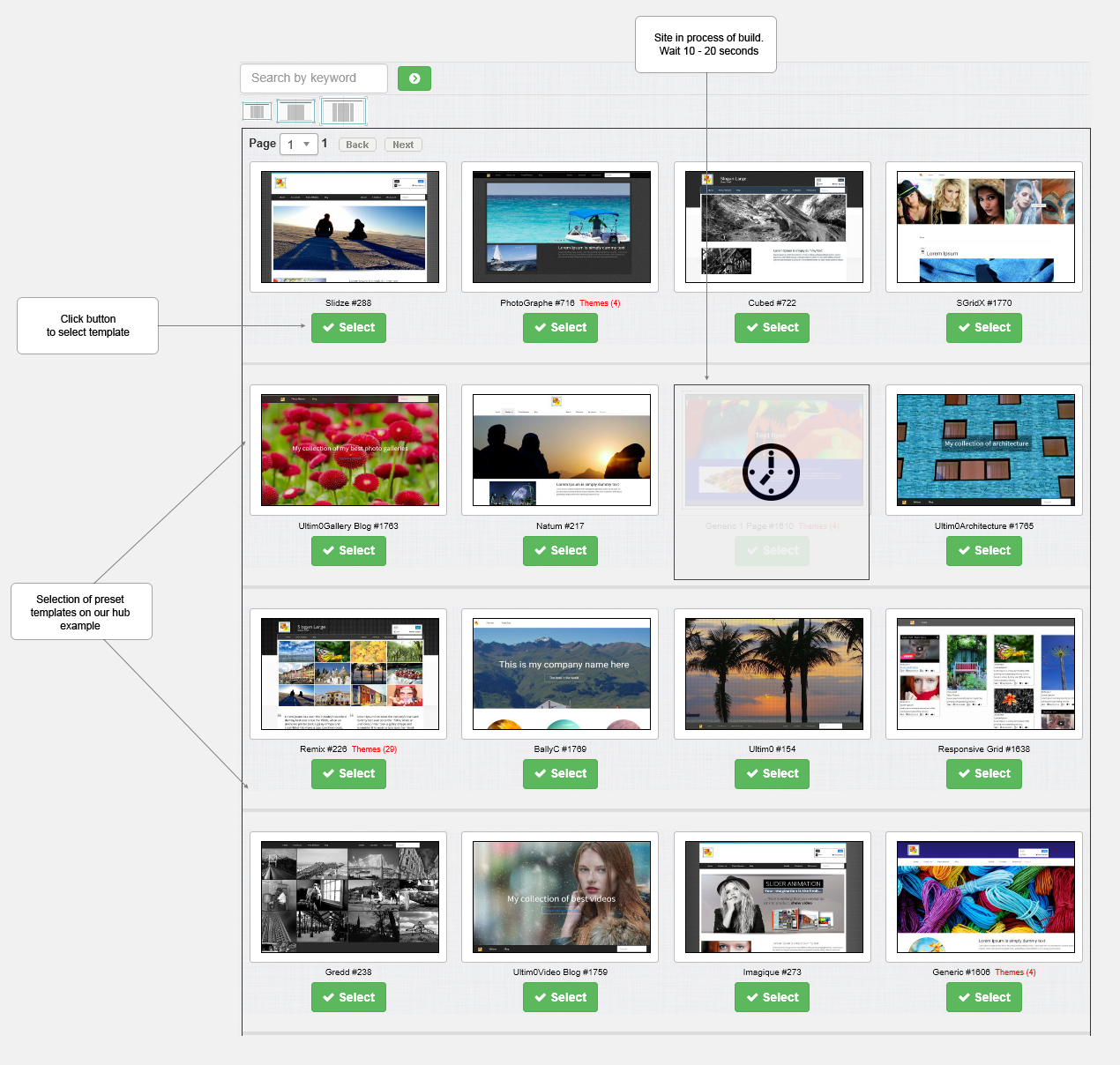
If at any time in the build cycle even though it is only seconds or you decide to not choose a template the site will be left in a pending state which will need to be deleted as the process cannot be resumed. Revert to the help section on deleting sites.
Adding a site via the hub live website.
A link can be made available whereby web users can sign up for a free trial and select a trial site from your selection of templates. The web user needs only to supply an account name and email address to complete the sign up procedure. An alternative method is to assign a site to be made as a default thereby simplifying the procedure even more for new trial users.
There are many more possibilities and scenarios that can be accommodated when initially setting up your hub.
Updated on: 13/09/2015 11:44:29
