Managing Quotes
KB14869
Generate and store your quotes and make them accessible all in one central area within your hub administration.
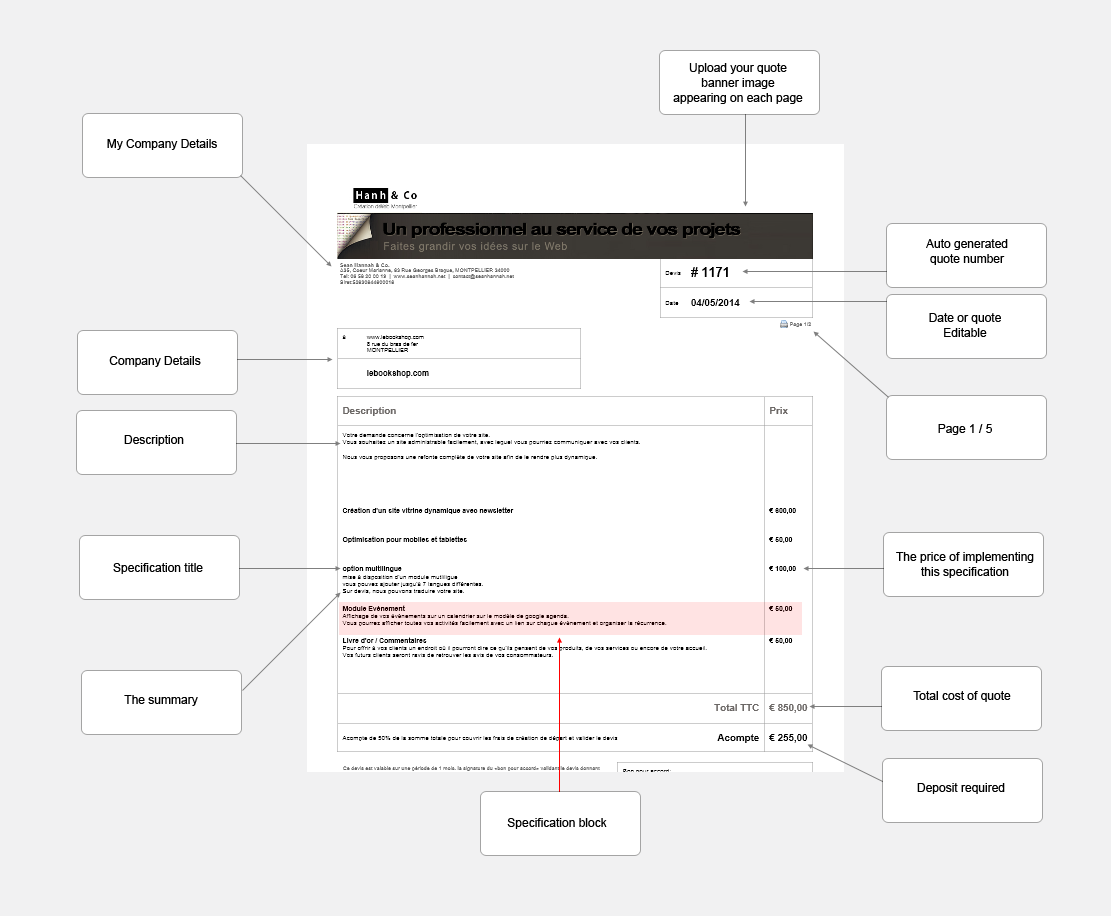
The quote system is very flexible indeed. Basically it is broken down to a basic description of the quote with company details and client details. You upload your top banner image which will appear at the top of all pages. A quote number is generated automatically by the system for easy reference. Your terms and conditions are driven by your internal dictionary with a link to this dictionary object.
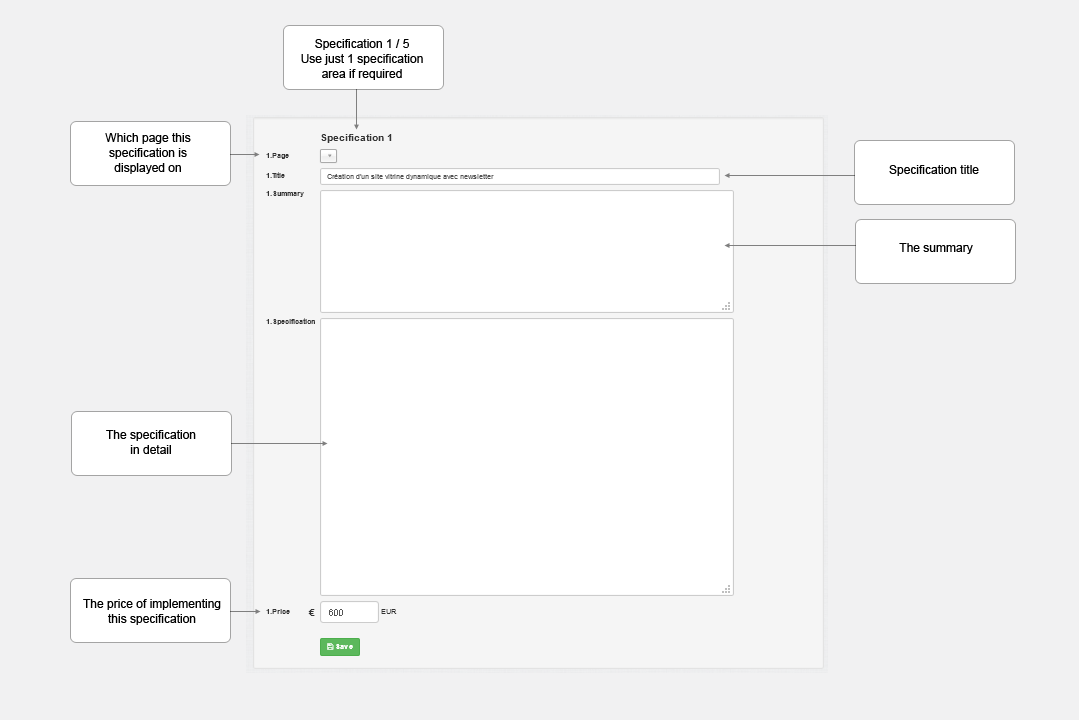
We have 5 areas for setting the specification. Each specification area can appear on a new page if you wish. In each of the specification areas we have:
Page - Page assigned to this specification
Title - Title of the specification
Summary
Specification Detail
Price - Price of implementing this specification
The diagram below show just one of the specification areas. There are 5 you can use as many as you need to prepare your quote.
The final quote. Using pdf creator a free program the quote can be converted to a pdf.
Updated on: 13/09/2015 11:43:47
