Setup contact form
KB14887
We often see a link on a listing to request more information. Clicking on the link will open the listing with an attached contact form. The web user will then complete this form and supply some contact details which will be emailed to the store owner using the system email. This tutorial will show how this can be setup.
Step 1
Apply a layout. Select the current listing layout and make a copy. On this copy remove the items you do not need as we need to make space for the contact form fields. Items such as image galleries, buttons, videos can be removed. We should make this layout a simpler version of the listing with key details only displayed.
We then add a dynamic placeholder. Add the dynamic placeholder $ contact-form $ (remove the spaces if you wish to copy)
Step 2
On our original listing layout we will add a button link to our new listing page with contact form.
Add the dynamic placeholder $ email-link $.(remove the spaces if you wish to copy)
This will render a button and if clicked will open our new listing page with contact form. You may need to change the text on this button. Open dictionary and search for this button text and update.
Step 3
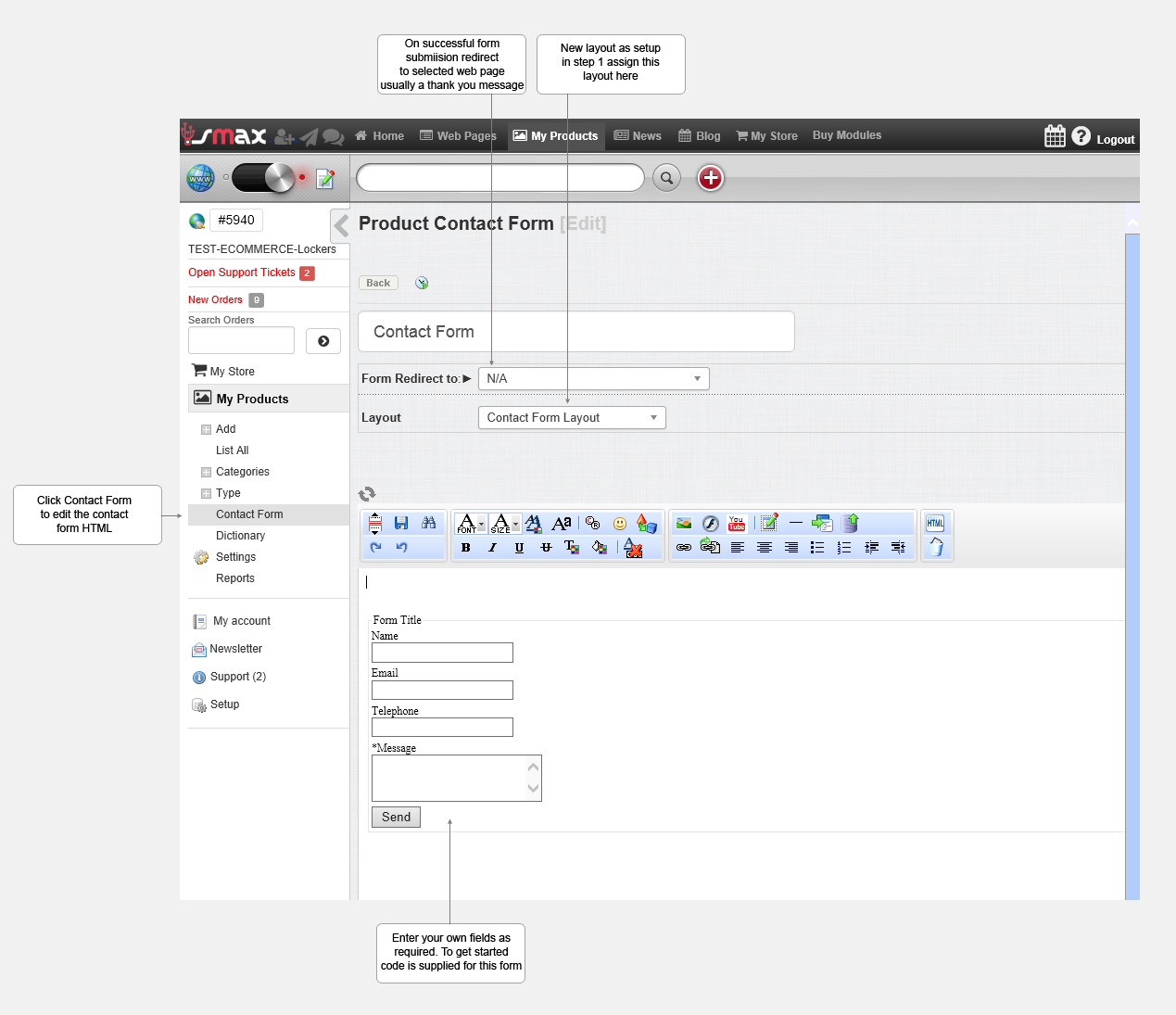
We design the contact form which will render on the new listings contact page. You can copy the code below to render a basic responsive form.
Updated on: 13/09/2015 11:41:32
