Managing Preset Dates
KB14898
All accounts added via your hub or portal can share common dates. This ensures an administrator can keep in touch with hub members via an online calendar. Each member has access to their own personal calendar. Dates could include important dates for your club, business, bank holidays, special days regularly occurring. Events can also be shared on each personal calendar.
All events added by a portal administrator to their personal diary will automatically be displayed on all calendars to all members.
Managing Preset Date Groups
Firstly we need to assign a category for our new preset group. Once a category is assigned we can add the key dates using the calendar utility. Each member will then have the option to add this selection of dates to their calendar.
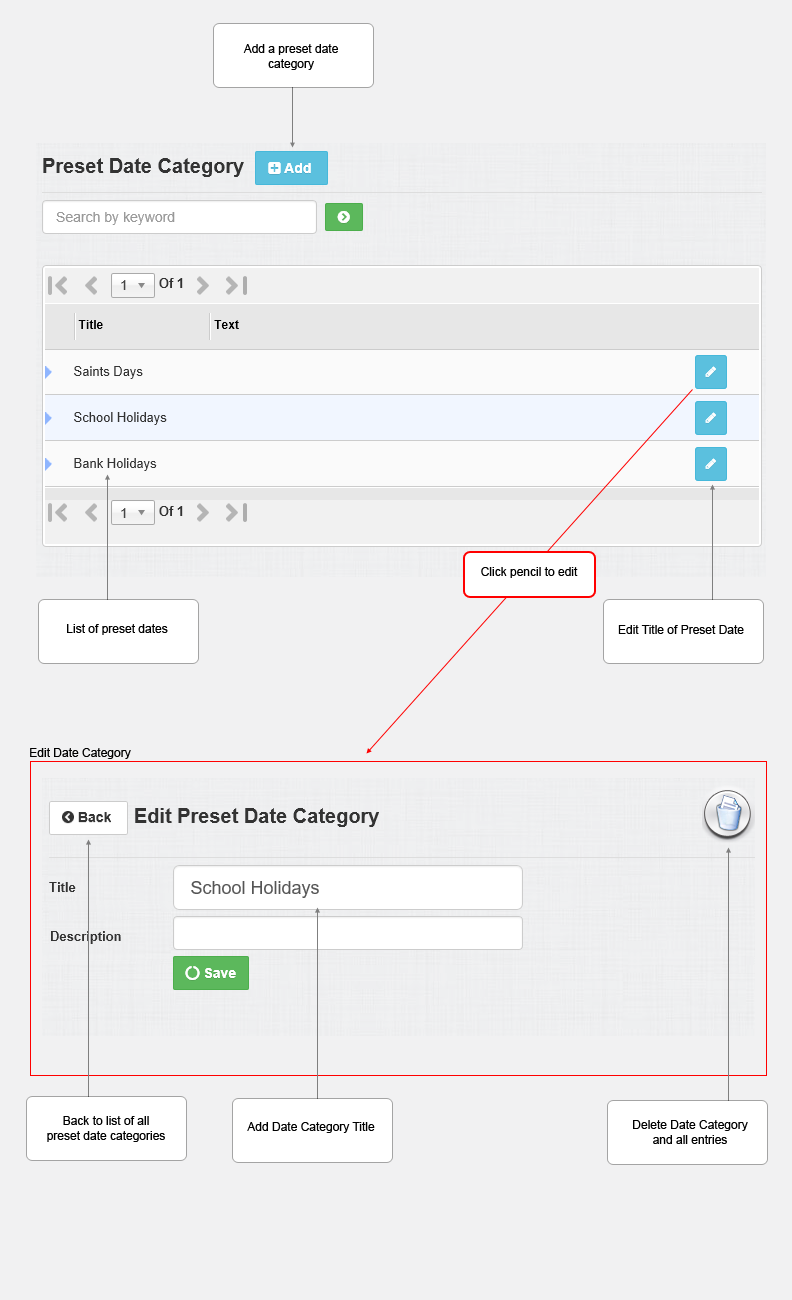
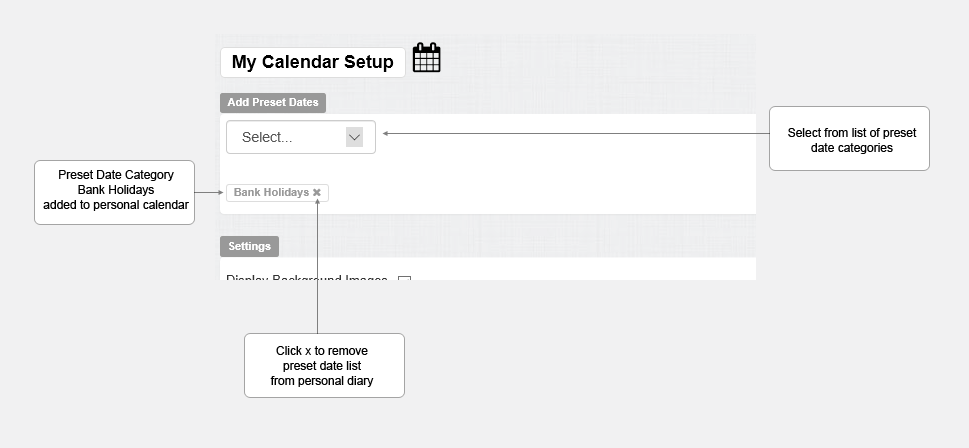
Each member of the hub will have the option to add this list to their personal diary. At any time the list can be removed or added.
Updated on: 13/09/2015 10:46:13
