Introduction to Responsive Web Design Tool
KB14409
The responsive web designer tool creates the HTML shell that envelopes all your content and pages.
One interface serves all devices from screen sizes such as mobiles right up to the largest widescreen monitors. The responsive web designer tool is closely integrated with Bootstrap v3.3 to ensure complete compatibility with all screen sizes.
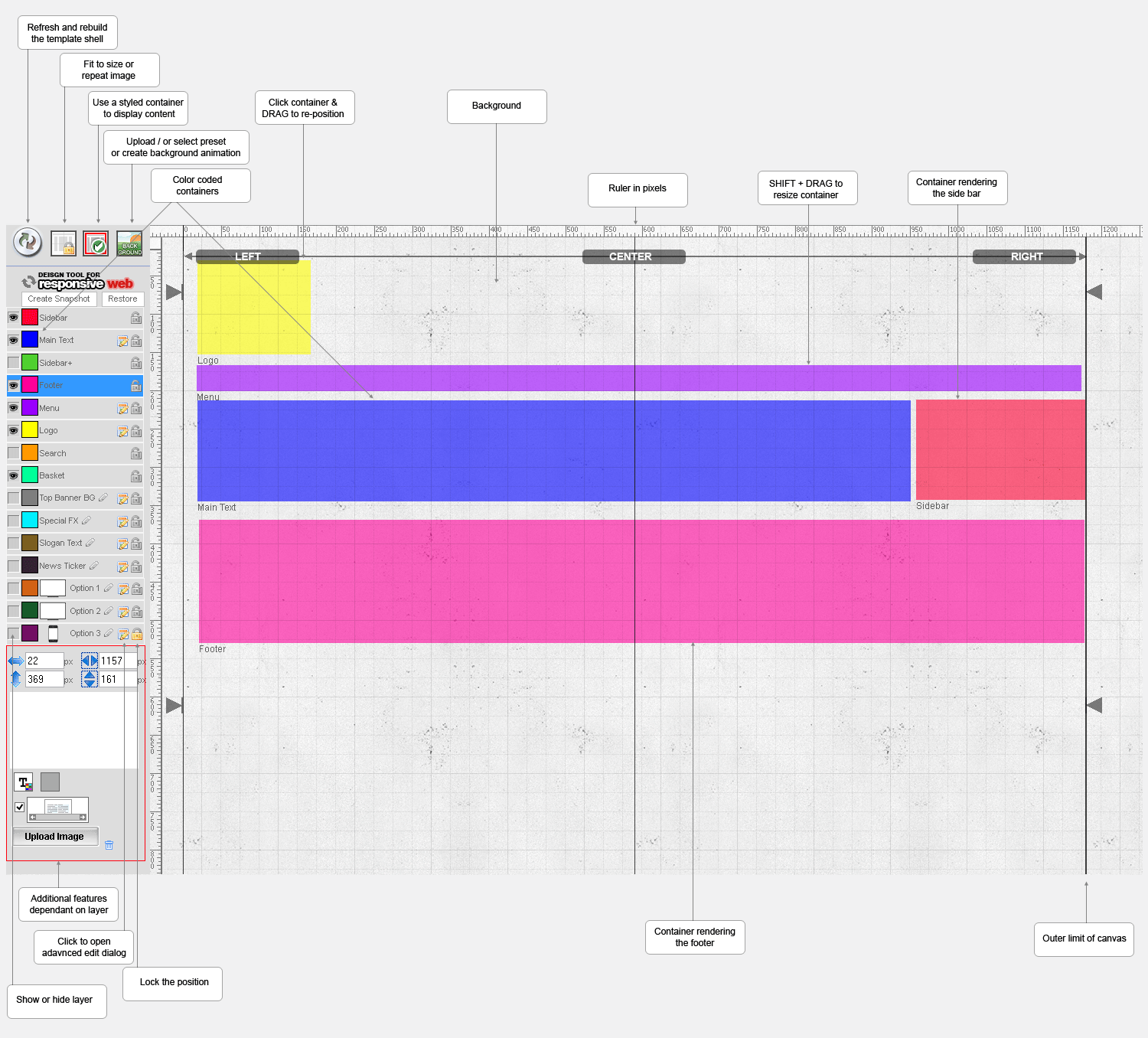
The interface is similar to image editing software - we select a layer and can open up further editing commands or advanced positioning. Layers can easily be resized or dragged into position. Each layer contains a unique set of commands that extract the page data you have added in the administration area. To build a fully responsive site all positioning in the canvas area is calculated by where the layer is set on the canvas - fully centered, align to absolute left or right of container, or align to absolute left or right of container but with an offset.
Layers can be set to position relative to the screen or layers can be set at a fixed position on the screen so even if the page is scrolled or resized the layer will always remain in the set place. Using the positioning tool the layer can be set fixed to left, right or center of the screen with offsets as described.
There are various options for editing the background to your site such as selecting preset tiles, upload your own image or upload a background animation. A banner image can also be uploaded featured on every page with a menu bar that can be customised.
Some templates have 2 layouts one for the home page only and an alternative layout for all the other pages.
Each time a change is made here then shell needs to be refreshed this rebuilds the HTML wrapper from scratch ensuring super fast load times on every page. The use of snapshots ensures that any edits made can be rolled back or multiple versions of the site can be made.
Updated on: 03/05/2020 17:23:58
