Manage My Product Options
KB14503
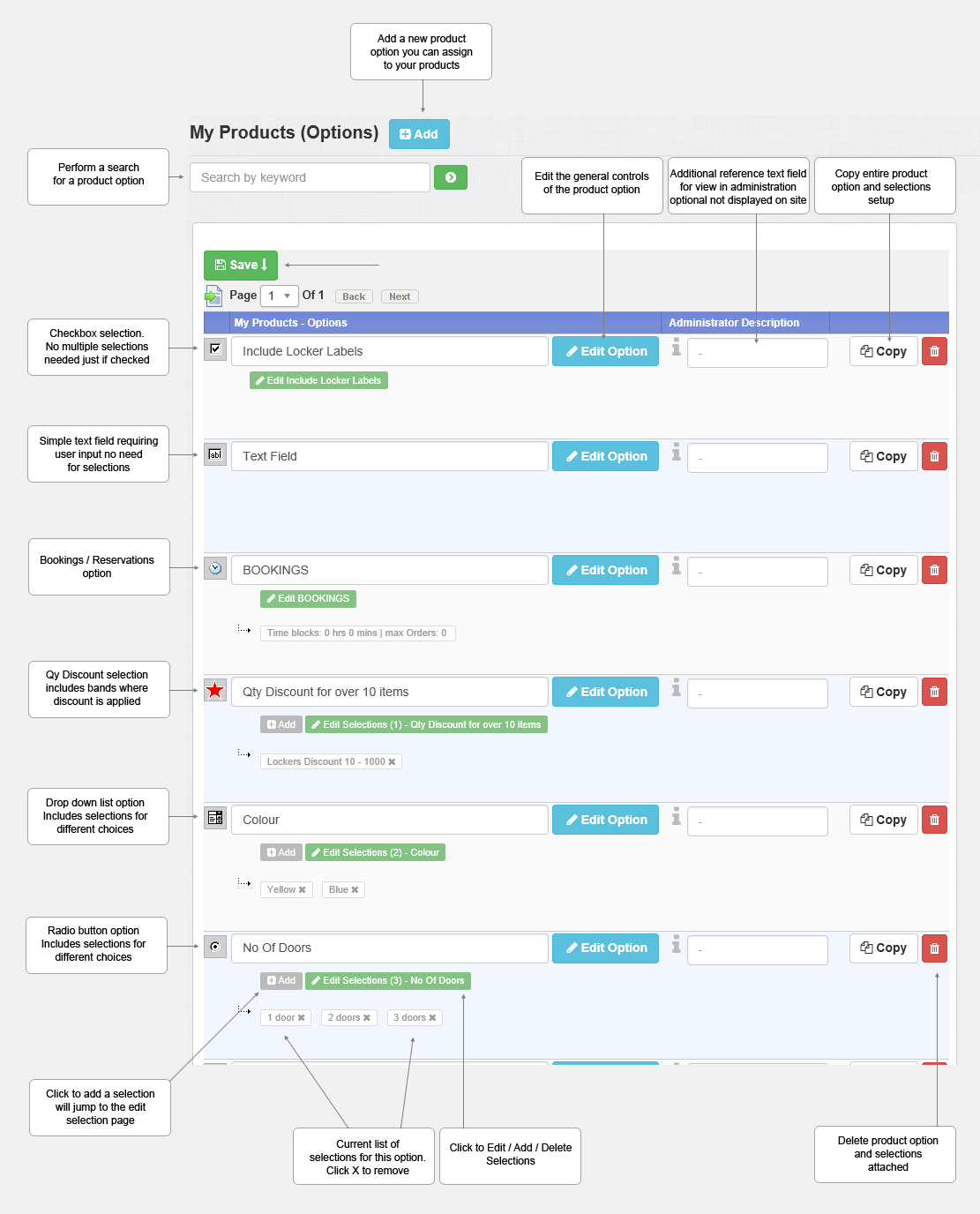
Each product can be further customised by the customer if required as they proceed to order. For example a product may require a selection of color or size. A product option may increase the total unit price of the product. An option would be to ask for any further details pertaining to the order. There are 6 different types of product options. A product option can only be applied once to each product but many products can be assigned the same product option. A product can contain an unlimited amount of product options. A product option can be set for mandatory completion by the web user.
The product Options.
 Text Box - Requires an input of text only and will have no options or affect price. Purely a customisation option for the customer.
 Radio Selection - Requires a selection - one selection possible and may affect price.
 Check Box - Requires a selection of Yes or No to an available option and may affect price if set.
 Drop Down List - Requires a selection by a drop down list and may affect price.
 Quantity Discount - Requires a selection by a drop down list of booking dates and may affect price.
 Booking / Reservations Calendar - Requires a selection by a drop down list of booking dates and may affect price.
Sort By
View All or
[Text Box]
[Radio Selection]
[Check Box]
[Drop Down List]
[Quantity Discount]
[Booking / Reservations Calendar]
Updated on: 03/05/2020 17:16:03
