Add task to a Ticket
KB14460
Some support queries may require design / graphics work or complementary setup which may need a resource to account for. This can be achieved by requesting that certain responses require support credits. You set the amount of support credits for a task required and communicate this with the web user. Support credits can be purchased by the web user in their admin.
Tasks that you perform when resolving a support query will be logged so that both the customer and admin can see the work in progress relating to that particular support ticket. Support credits can be applied to each task for open transparency.
To attach a task to a support query enter the reply to support ticket page as below.
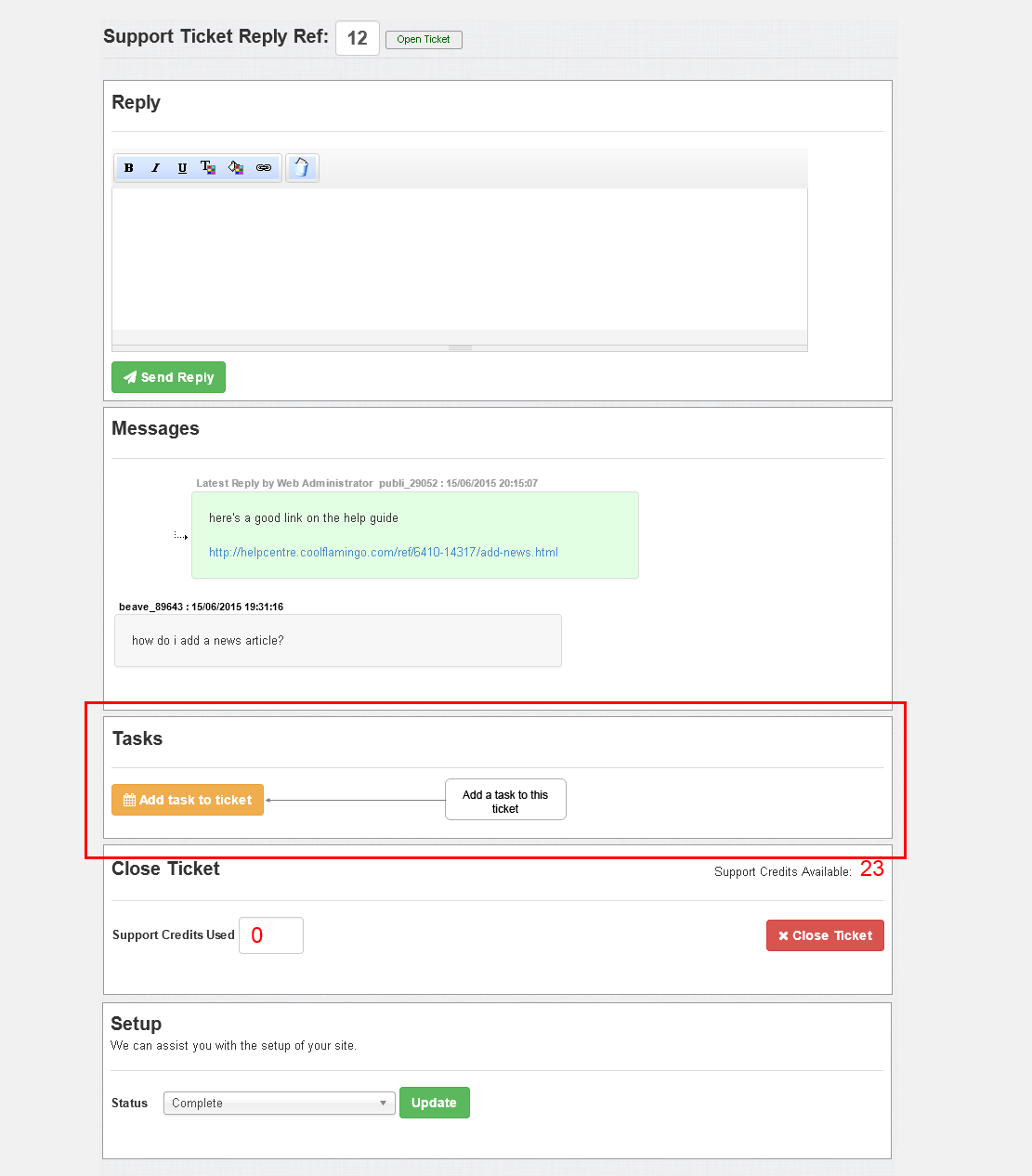
On the following page enter:
Date
Enter the date automatically defaults to todays date
Support Credits Used
If support credits have been used for this task enter the amount. Amount is visible to customer.
Task
Enter the task details. This will be visible both to the customer and administrator alike.
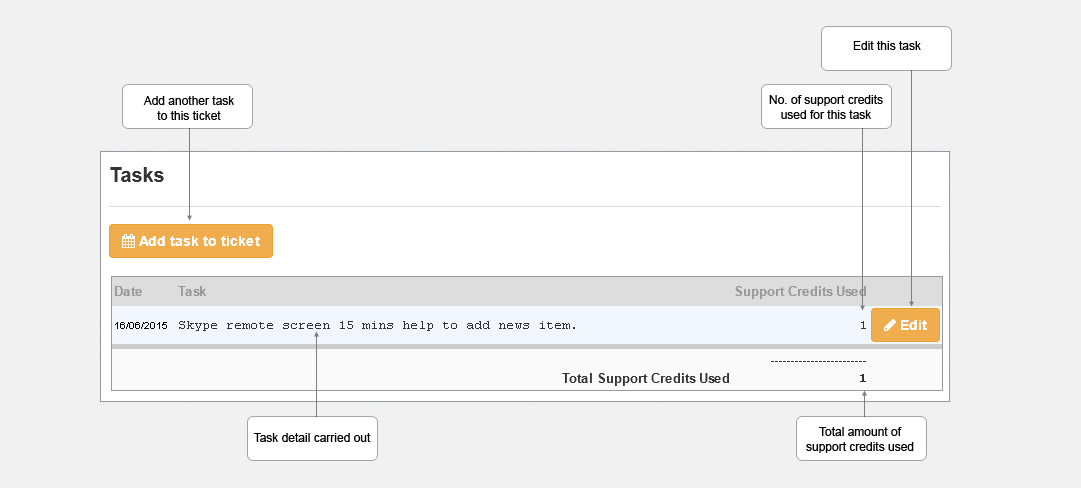
Returning back to the view support ticket screen and we can see the task has been added.
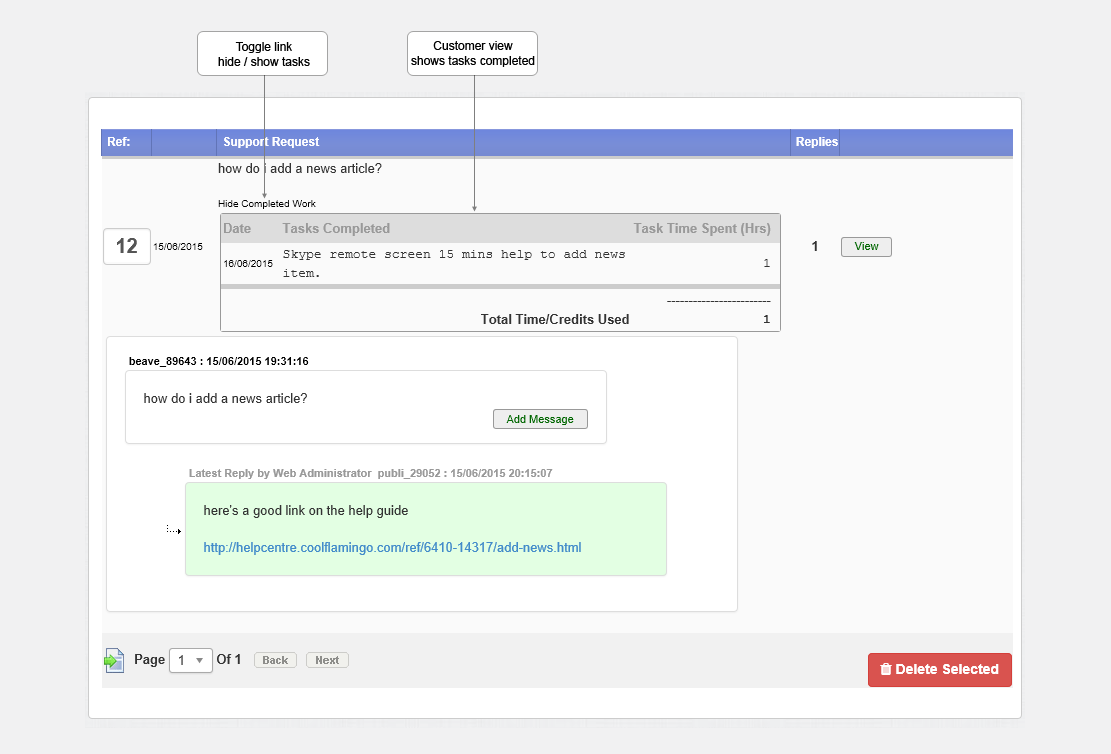
And the task view for the customer
Updated on: 13/09/2015 11:56:31
