Manage Order Notes
KB14494
A notes system where you can add notes and comments to an order is indispensable.
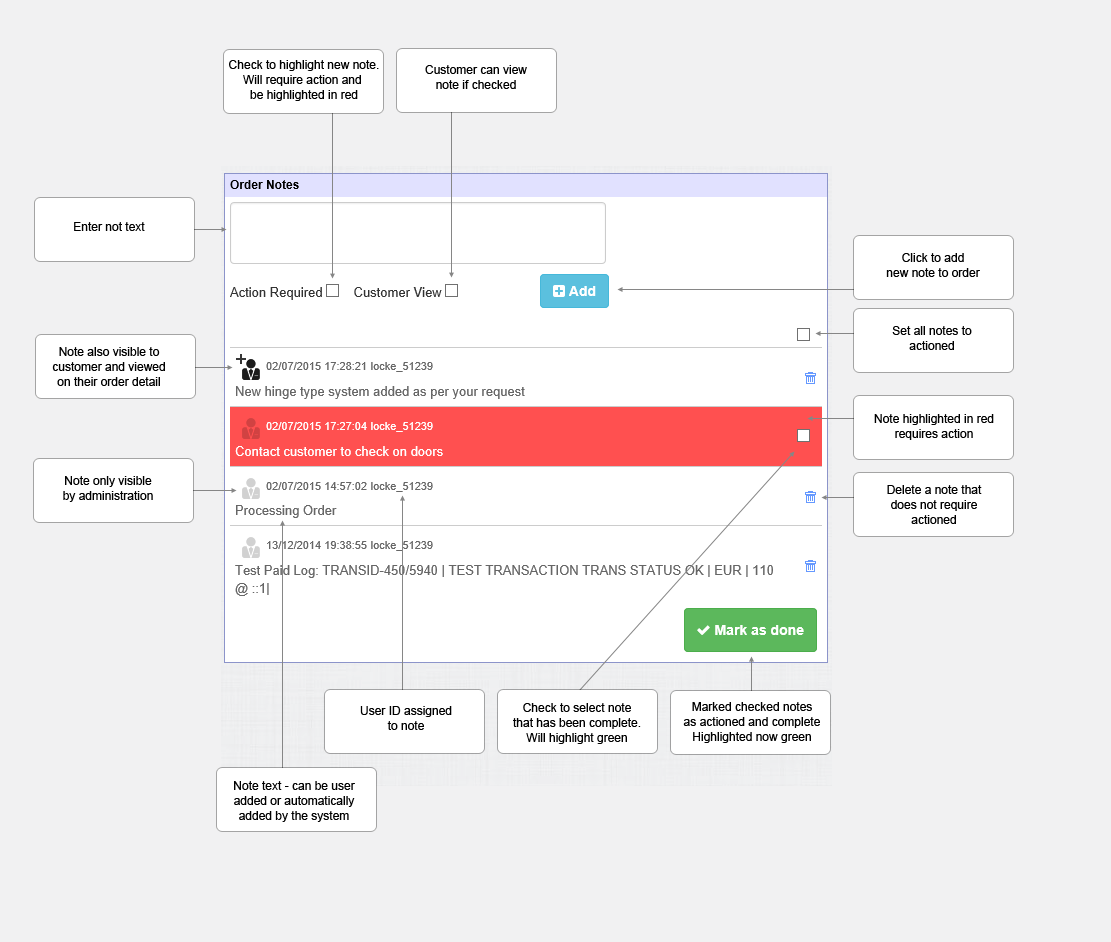
Order notes will be automatically added by the system to an order when any order status changes. Order notes can also be added at any time by a system administrator managing the order.
Notes can be set for view by admin only or both by admin and the customer. Notes can be highlighted in red that need to be actioned. A count of notes needing actioned will also be displayed on the left navigation bar clicking the link will display a page with all notes needing actioned across all orders in the system for easy management across multiple orders.
Notes can be actioned and added also via mobile. See the mobile order view help page.
Updated on: 03/05/2020 17:16:20
How Helpful was this article
1 Votes Cast
